Buildout
Services:
Research, UX/UI Design, Front-end Development
Year:
2025
Industry:
SaaS / Technology
Buildout's marketing software has become a staple of the Commercial Real Estate brokerage tech-stack. Its Document Editor feature was initially built in 2014 as a powerful tool for an industry that greatly needed it, allowing brokers to quickly produce professional, consistently designed documents from a single listing form. While its success over the following decade was undeniable, by 2025 the editor's interface and functionality had become outdated, leading to user frustration, churn, and a significant backlog of support tickets. The time to reimagine it had arrived.
The Challenge
With the recent rise of more user-friendly, generalist design tools, and the increasing demand for more intuitive user experience, the need to reimagine the document editor became clear. The challenge was to create a new interface that would not only enhance the user experience but also maintain the functionality that users had come to rely on. This case study explores the process of redesigning the Buildout Document Editor, from research and discovery to prototyping and final execution, and the impact it had on both users and the business.
Research & Discovery
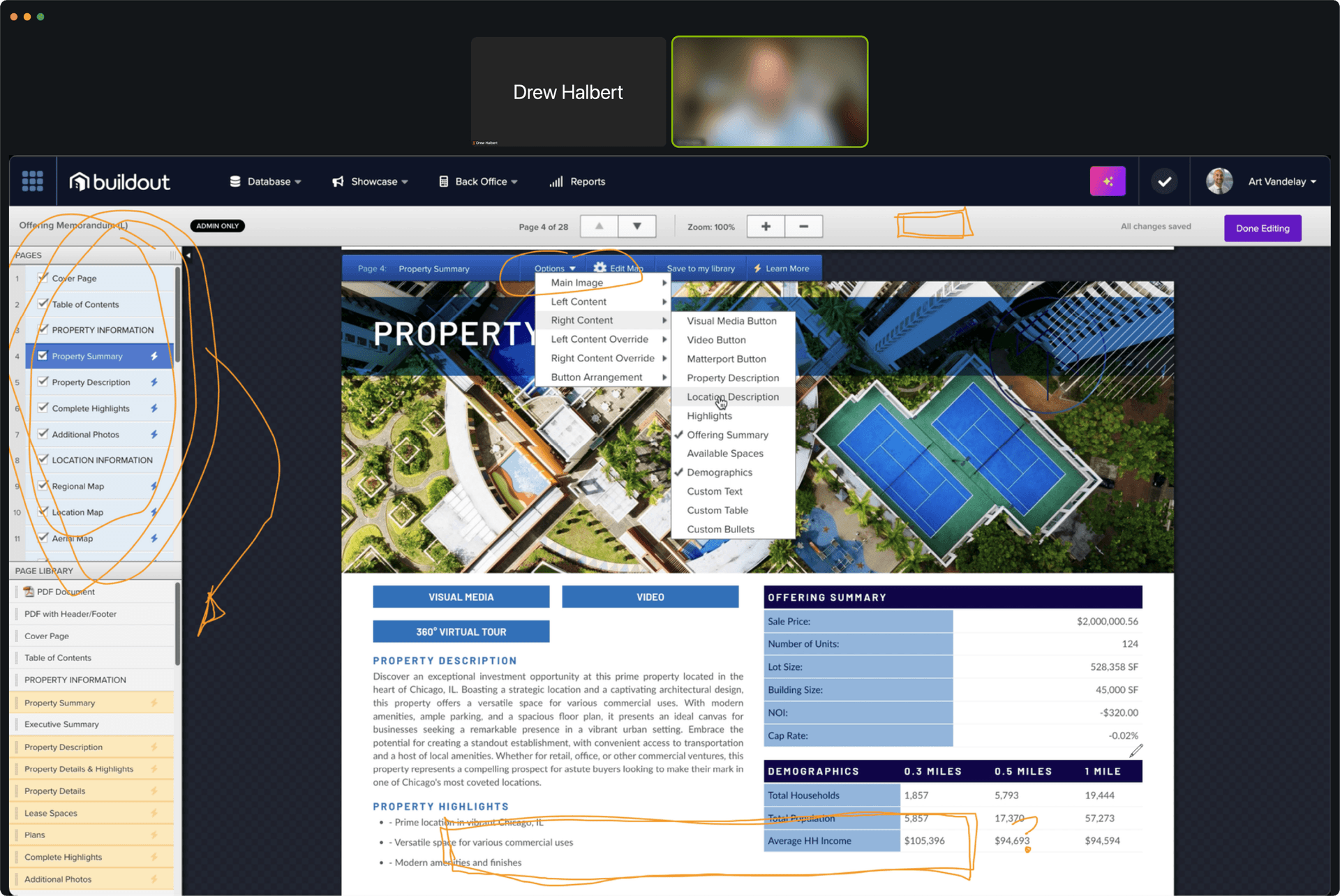
The research initiative began by conducting user interviews, usability testing sessions, and surveys to establish baseline use-cases and identify pain points with the existing editor. I worked with a UX designer cover more ground and synthesize the findings. Through this engagement, I identified a small beta group of eager users willing to partner throughout the redesign process, providing ongoing feedback as I iterated. In return, they received early access to new features and a direct line of communication with me and the product team.
The document editor also had a significant backlog of internal admin feature requests to better support the support and design teams. I identified and collaborated with power users from these groups to understand their needs and ensure the new editor would improve the experience of both external users and internal stakeholders.
The Strategy
Based on my research and user feedback, I identified three key features that would fundamentally change how users worked in the editor.
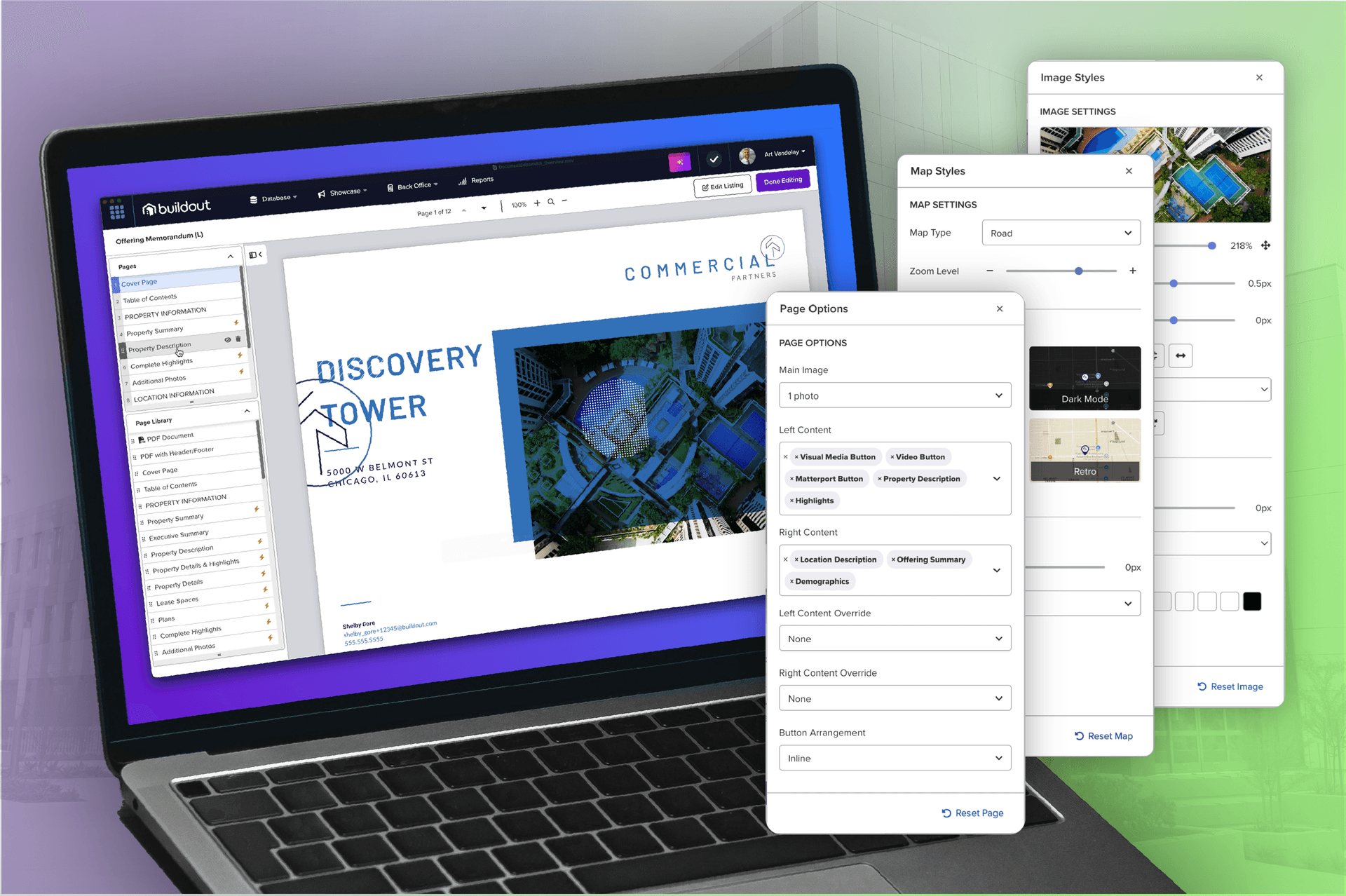
1) A new "Editor Flyout" addressed the biggest UX problem: the existing toolbar, over-cramped with options, offered users only limited configuration of components. I ideated on a dedicated panel with comprehensive component controls: colors, fonts, map styles, borders, and more. I also managed a reorganization of the underlying architecture to enable real-time, client-side component edits instead of server-side rendering, transforming performance and responsiveness for users.
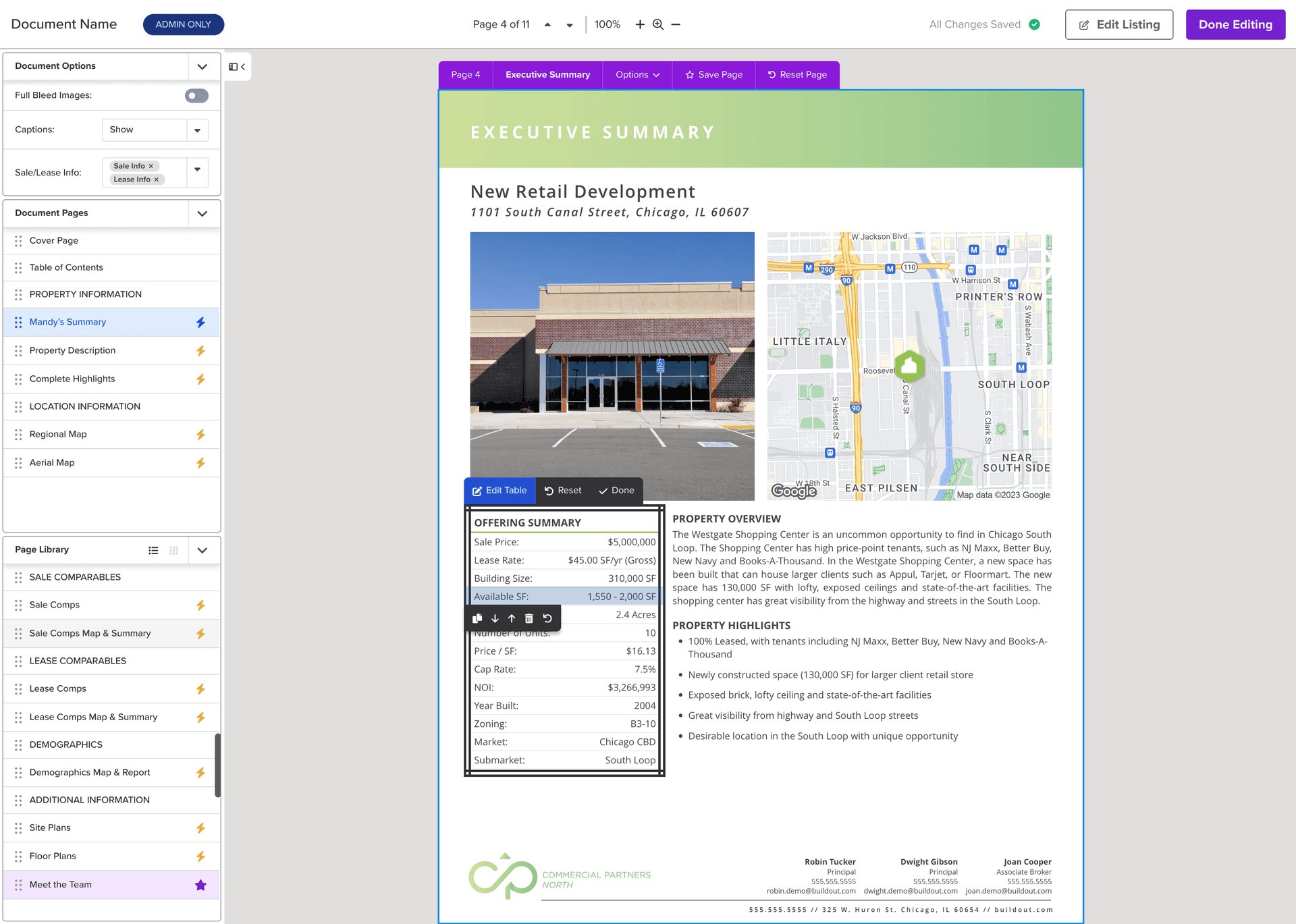
2) The new "Edit Listing" button solved a critical workflow nightmare. Previously, users constantly switched between the document editor and the listing form to update property information. I created direct access to source listing data from the editor, allowing changes to update and sync across all marketing materials at once. No more data entry confusion or redundancy.
3) Finally, I implemented "Page / Component Reset". The old editor offered no visual way to track or revert manual edits; users had to delete and regenerate entire pages if a large enough mistake was made, often at the expense of their other changes. Adding Reset not only gave users precise control over their changes, but provided support with a diagnostic tool: if an issue appeared only on edited components, support could see exactly what had changed compared to the base template and eliminate an escalation ticket to the design team.
Persona Development

Marc
Real Estate Broker
A solo brokerage owner who uses Buildout as the single point of entry for his listing data. He relies on the document editor to create consistent marketing materials for his listings.
- 35 - 65 years old
- On the go, often working from car or property, limited time at the desktop
- Values time-saving features and ease of use
Goals
- Create professional materials fast
- Keep branding consistent across docs
- Minimize time spent making updates
Frustrations
- Limited customization options in the toolbar
- Had to constantly switch between editor and listing form
- Changes in one place didn't sync across all materials
Other Software

Nia
Enterprise Marketing Admin
Manages the Buildout instance for national commercial real estate brand. Responsible for maintaining brand consistency across hundreds of users and thousands of listings.
- 30 - 50 years old
- Works from office or home, primarily from a large monitor or laptop
- Values control and consistency in managing templates and user permissions
Goals
- Enforce brand guidelines across the org
- Control templates and permissions
- Reduce support requests related to customization
Frustrations
- Users felt constrained by limited customization options
- No visibility into which templates had been edited by users
- Every design change request required submitting a ticket to the design team
Other Software

Jackson
Buildout Support Admin
Part of the customer support team, but also responsible for triaging and addressing internal admin needs related to the document editor. Works closely with both external users and internal product/design teams.
- 25 - 40 years old
- Works from office or home, with a large monitor setup
- Values tools that help him quickly address user issues and communicate them effectively to the product team
Goals
- Support users quickly
- Surface user issues to product team
- Manage support requests effectively
Frustrations
- Drowning in formatting and customization requests
- No way to see if a user had made manual changes to a component
- Every template issue required escalation to design/dev teams
Other Software

Sage
Buildout Visual Designer
Responsible for implementing client brands into the document editor templates. Relies heavily on internal tools to manage template design and updates, and works closely with support and product teams to address user-facing design issues.
- 25 - 35 years old
- Works from office or home, with a large monitor setup
- Values tools that allow her to efficiently manage template design and updates, and to collaborate effectively with support and product teams
Goals
- Create visually stunning templates
- Maintain consistency of client designs
- Collaborate efficiently with support and users
Frustrations
- Swamped with requests for design customizations that should be self-serve
- Support couldn't tell if issues were user-caused or template-based
- Spent more time answering questions than creating new designs
Other Software
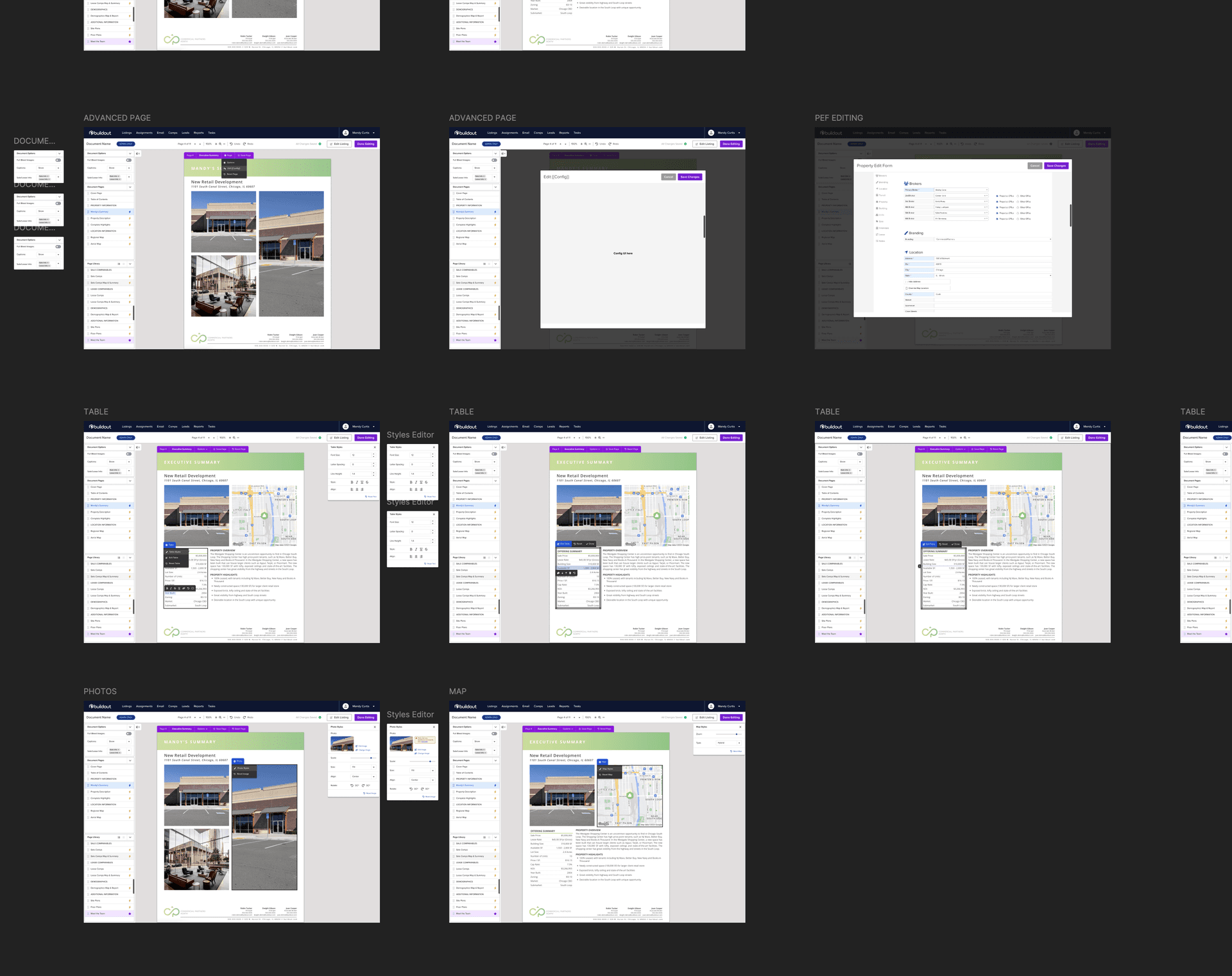
Prototyping & Iteration
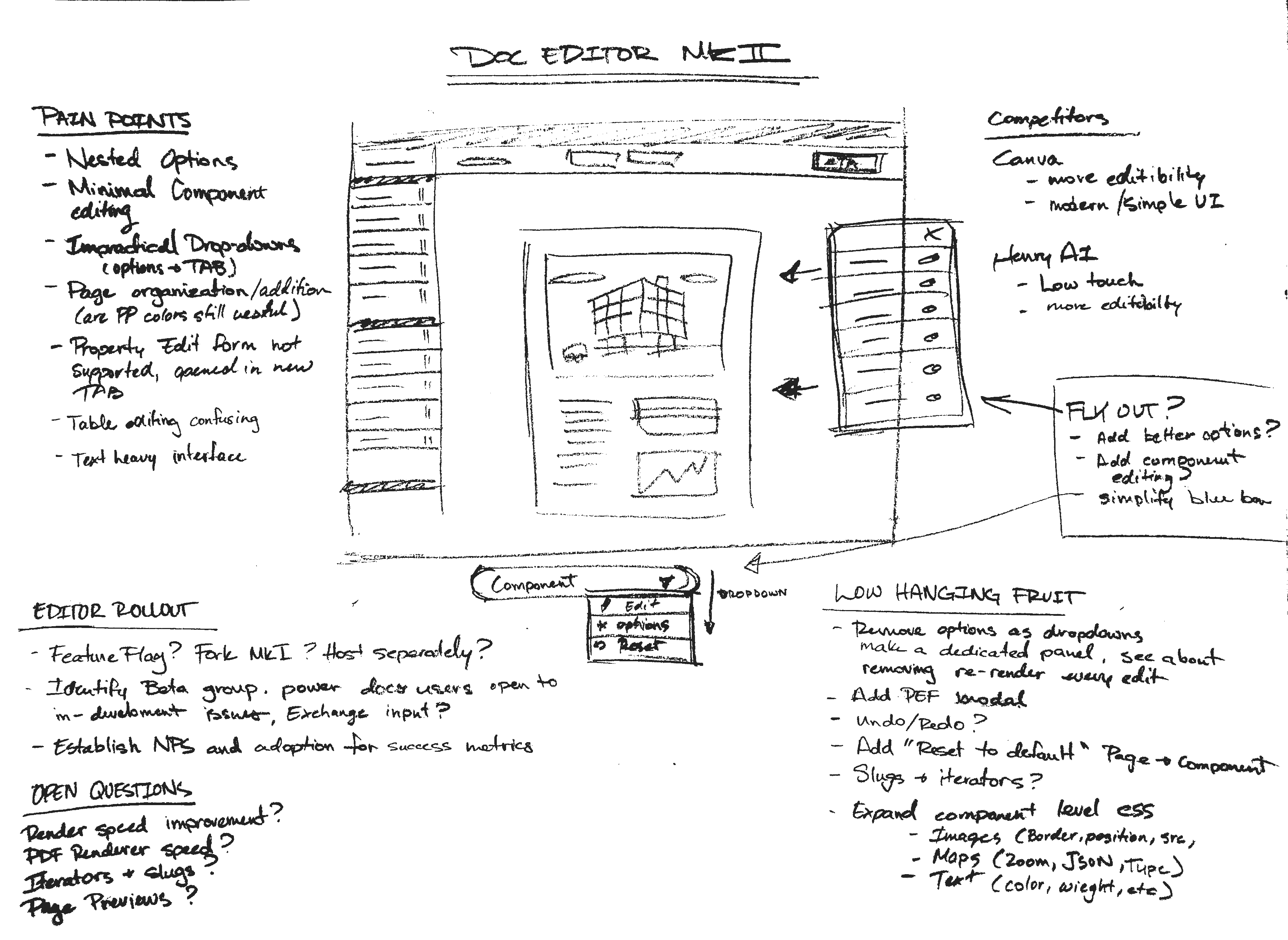
I developed a series of prototypes based on my research and strategy, starting with low-fidelity wireframes and progressing to high-fidelity interactive prototypes. I conducted multiple rounds of usability testing with our beta users and internal power-users, gathering feedback and making iterative improvements to the design. This process allowed me to refine the user experience and ensure that the new editor met the needs of both external users and internal stakeholders.
Final Execution & Launch
Once the design phase was complete, I transitioned to front-end development, coding up the new editor and working closely with our engineering team to implement it within our existing tech stack. Meanwhile, a dedicated developer focused on optimizing the backend and addressing technical debt. I placed the new interface behind a feature flag, granting only our beta and internal users access as I rolled out each feature to match my prototype.
I managed the beta testing process throughout development, conducting four months of iterative development and testing with our core beta group. I then broadened the beta to include our larger, generalized user testing group, personally triaging feedback and bug reports. Following several more weeks of iteration, I oversaw the launch to all users, creating a comprehensive communication plan and support resources to help users transition. Post-launch, I managed the sunsetting of the old editor and supported users through the transition.
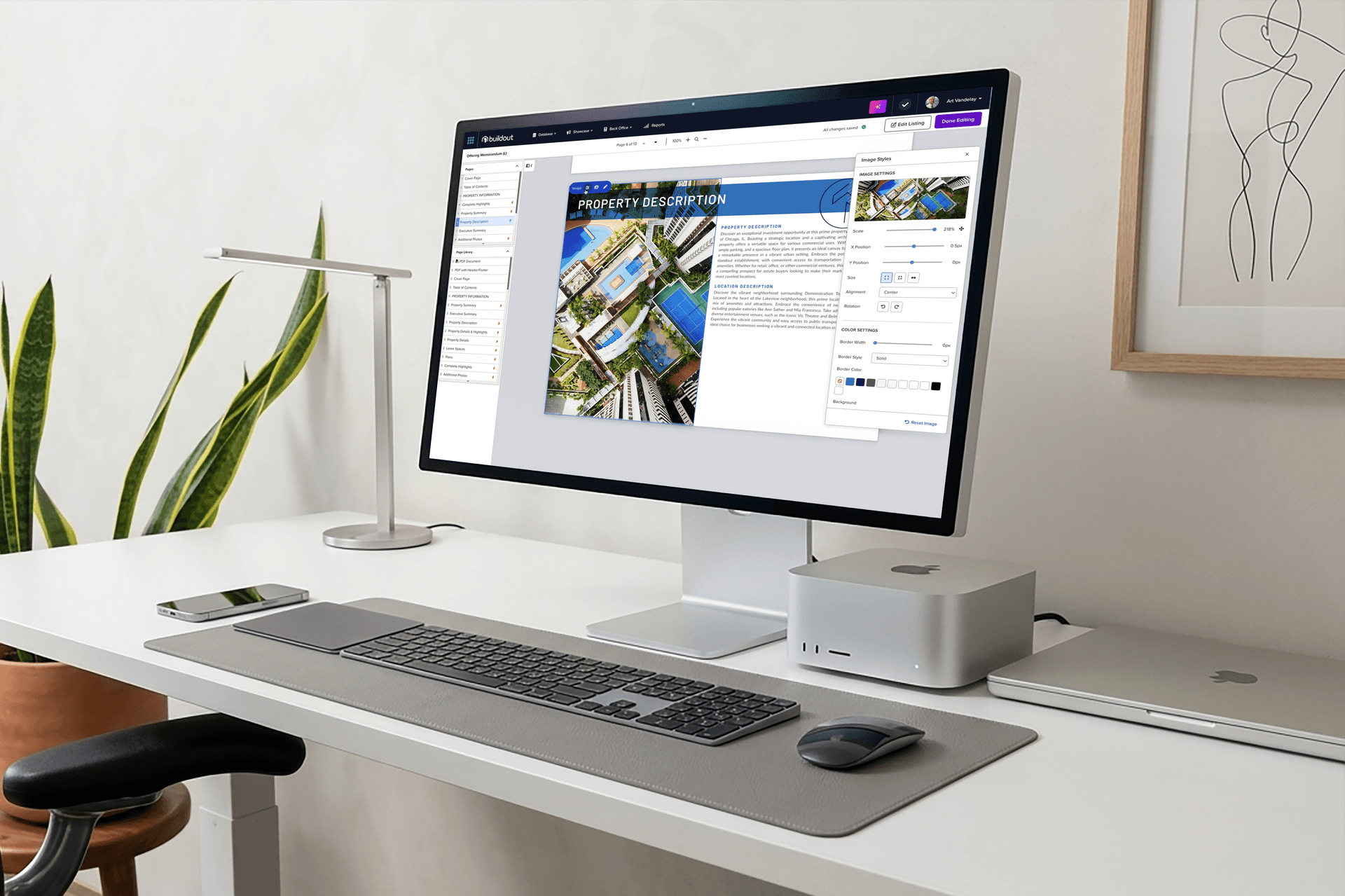
The new Editor Flyout, allowing users to customize components with a wide range of options and see changes in real time.
The new Edit Listing feature, enabling users to access and update their listing data directly from the editor, with changes syncing across all materials.
What This Project Revealed
This project demonstrated that deep, user-centered research combined with iterative prototyping and thoughtful implementation can address complex, multi-stakeholder problems. By identifying three key pain points (limited customization, workflow friction between systems, and lack of edit visibility) I designed targeted solutions that benefited different user groups in different ways.
The decision to move component edits to the client side had unexpected benefits: not only did it improve performance, it fundamentally changed what was possible in the editor. The reset feature proved especially valuable for support, providing diagnostic capability that previously required escalation. Most importantly, by empowering users with more customization options, the new editor reduced support burden on design and developer teams, allowing them to focus on new features rather than answering configuration questions.
The new editor markedly improved customer and internal stakeholder satisfaction, reduced churn related to marketing features, and significantly decreased the volume of support tickets related to document editing post-launch.
"You deserve a victory lap on this one! One of the most impactful launches I've seen in my time at Buildout, and flawlessly executed."
Ready?
Let'sbuildsomething
withstayingpower
You work hard; so should your brand. Every day it's not delivering for you and your business is a day that it could have been. Let's talk.